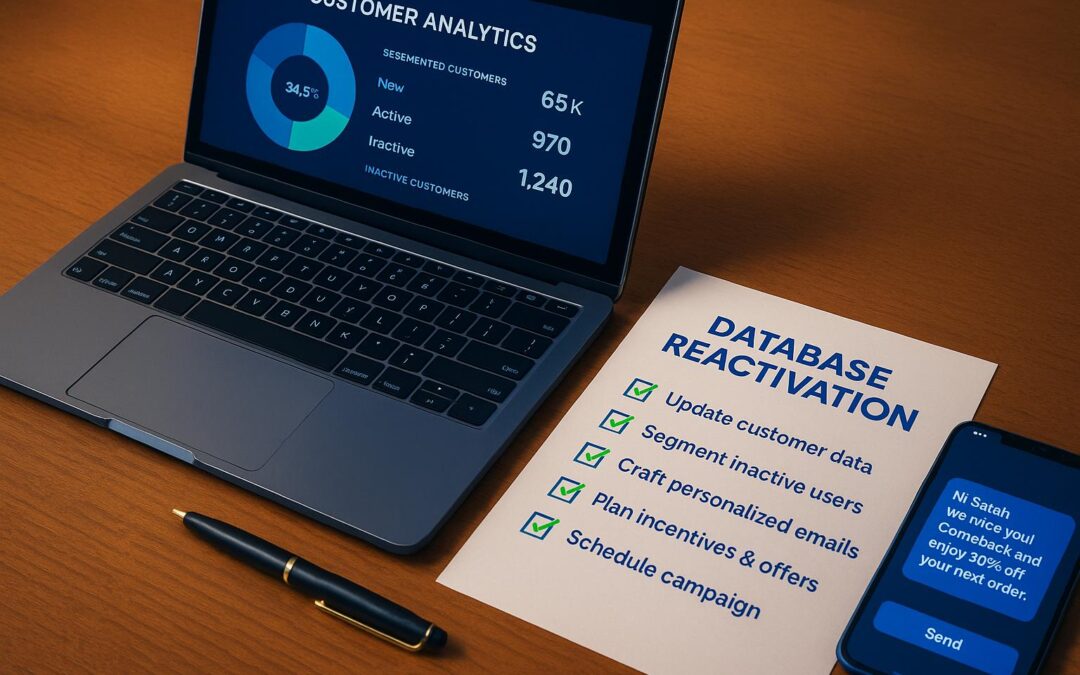
Reactivating inactive customers is one of the fastest ways to boost revenue without the high costs of acquiring new ones. These customers already know your brand, making them much easier to re-engage than brand-new prospects. Here’s the bottom line: reactivation campaigns can cost 5-7 times less than acquiring new customers and even a small 5% increase in reactivation rates can drive revenue up by 25-95%.
Key Steps to Reactivate Your Database:
- Audit and Clean Your Data: Identify inactive customers, remove outdated or invalid information, and focus on contacts inactive for 3-12 months.
- Segment Your Audience: Group customers by behavior, demographics, and value to tailor outreach messages.
- Personalized Messaging: Use AI tools to craft messages based on past purchases, browsing habits, and preferences.
- Multi-Channel Outreach: Combine email, SMS, and voice calls to reach customers where they’re most likely to respond.
- Track and Optimize: Measure metrics like reactivation rates, open rates, and conversion rates to refine your campaigns.
Why AI Can Help
AI tools, like Unselfish AI, automate segmentation, personalize messages, and manage campaigns across multiple channels. This saves time and focuses on results, ensuring you only pay for the revenue recovered.
Reactivating your database is a low-cost, high-impact way to drive sales. Start by cleaning your data, segmenting customers, and using AI to scale your efforts for maximum results. Even a small campaign can uncover untapped revenue – don’t let dormant customers go to waste.
Database Audit and Data Cleaning
Before reaching out to dormant contacts, it’s crucial to verify your database and ensure your data is accurate. A thorough audit and cleanup process is the backbone of any successful reactivation campaign. Skipping this step could mean wasting time and resources on outdated or irrelevant contacts.
Running a Database Audit
Start by analyzing your customer data to pinpoint truly inactive contacts. Focus on last purchase dates, email engagement metrics, and website activity to segment your database effectively.
Define clear customer states. For example:
- Dormant customers: No purchases in 6–12 months.
- At-risk customers: Inactive for 3–6 months.
Targeting those who’ve been inactive for 90 to 365 days tends to yield the best results.
Go deeper by reviewing each customer’s lifetime value, average order value, and purchase frequency. This helps you prioritize outreach. For instance, someone who spent $500 across multiple orders deserves more attention than a person who made a single $20 purchase two years ago.
Also, check your email engagement metrics – like open rates, clicks, and unsubscribes. If email isn’t working, consider other channels like SMS or direct mail to re-engage these customers.
Cleaning Your Data
Once your audit is complete, it’s time to clean up the data. Start by removing duplicate entries. It’s common for the same customer to appear multiple times with slight variations in their email or phone number. Merge these records to get a complete picture of their relationship with your brand.
Next, eliminate invalid contact data. Use tools to validate email addresses and verify phone numbers to ensure they’re active and haven’t opted out.
Consolidate incomplete profiles by cross-referencing data. For example, if a customer provided their phone number during checkout but didn’t include it in their email signup, merge that information into a single, unified record.
Remove contacts who’ve been inactive for over 24 months – unless they’re high-value customers. Long-dormant contacts can hurt your sender reputation and drain your campaign resources. Instead, focus on those who are more likely to respond.
Finally, standardize your data. Use consistent formats for phone numbers (e.g., (555) 123-4567), ensure addresses include ZIP codes, and properly capitalize names. Clean, organized data ensures smoother communication.
Following Privacy Laws
When handling customer data, compliance with U.S. privacy regulations is non-negotiable. While the U.S. lacks a single overarching privacy law like GDPR, various state and federal rules impact e-commerce reactivation campaigns.
- CAN-SPAM Act: This governs email marketing and requires clear unsubscribe options, accurate sender information, and truthful subject lines. Make sure your reactivation emails include your physical business address and an easy opt-out method.
- TCPA (Telephone Consumer Protection Act): For SMS and phone outreach, you must obtain explicit opt-in consent. Pre-checked boxes don’t count.
- State regulations like CCPA: These laws demand transparency about how you collect and use data. Customers should have easy access to update or delete their information.
Check that none of your contacts are on suppression lists for email, SMS, or phone channels. Suppression lists help ensure you’re not contacting individuals who’ve opted out.
Stick to your data retention policies. For example, if you promise to delete inactive customer data after three years, follow through. This builds trust and ensures compliance with evolving privacy standards.
Finally, create a clear, accessible privacy policy that explains how customer data is used in your reactivation campaigns. Use plain, straightforward language, and make it easy to find on your website. When customers feel informed about how their data is handled, they’re more likely to engage with your outreach efforts.
Customer Segmentation and Targeting
Once your database is cleaned up, the next step is to divide inactive customers into specific segments. Why? Because a one-size-fits-all approach rarely works. Segmenting allows you to create campaigns that feel personal and relevant, addressing each customer’s unique preferences and circumstances.
Segmentation Methods for E-commerce
Behavioral segmentation is a key strategy for bringing customers back. By analyzing purchase patterns, you can group customers based on how often they buy. For instance, seasonal shoppers – like those who only buy during the holidays – might need outreach timed to their preferred shopping periods, while year-round buyers may respond to consistent engagement.
Demographic segmentation sharpens your targeting even further. Age, for example, can influence how customers respond to different communication styles or product recommendations. Geographic location is another factor, especially when you’re promoting region-specific inventory or seasonal items that align with local climates and trends.
Engagement-level segmentation focuses on how customers have interacted with your marketing in the past. You might separate those who regularly open your emails from those who rarely do. Similarly, identifying frequent website visitors who don’t often make purchases can help you craft the right incentives to convert them.
Value-based segmentation helps identify your most profitable customers. High-value customers might deserve premium offers or exclusive perks, while those in other segments could be enticed with discounts or free shipping deals that match their spending habits.
Building Targeted Campaigns
Once you’ve segmented your audience, it’s time to craft messages that resonate. For high-value customers, exclusive offers can make them feel appreciated. Seasonal buyers might respond best to promotions timed around their usual shopping periods. Price-sensitive customers? They’ll likely engage with clear messaging that emphasizes savings. Meanwhile, product-focused segments should see campaigns spotlighting fresh arrivals or complementary items. These tailored efforts can re-engage dormant customers and recover lost revenue.
Using Unselfish AI for Automated Segmentation
Unselfish AI takes the guesswork out of segmentation by automating the entire process. It analyzes purchase history, website activity, and engagement patterns to predict which inactive customers are most likely to return – and what offers will work best. The system triggers personalized follow-ups based on customer behavior, like sending an email or SMS when renewed interest is detected. It even selects the most effective communication channel, whether that’s email, text, or social media. Plus, with continuous performance tracking, Unselfish AI fine-tunes its strategies over time, ensuring your reactivation efforts stay relevant and impactful.
AI-Driven Personalization and Multi-Channel Outreach
When it comes to reactivating customers, combining personalized messaging with multi-channel outreach can deliver outstanding results. The idea is simple: different people prefer different ways of communicating, and they’re more likely to respond to messages that feel tailored to their interests. The goal? Meet customers where they are, with content that aligns with their preferences and behaviors.
Personalization Best Practices
Personalization is more than just adding a name to an email subject line. AI-driven personalization takes it a step further by analyzing past behaviors to craft relevant messages across email, SMS, social media, and in-app notifications. This means using data like purchase history, browsing habits, and engagement patterns to create messages that truly resonate.
Take purchase-based personalization, for instance. If someone bought running shoes, follow up with recommendations for athletic socks or a fitness tracker. For customers who shop seasonally, timing your outreach to match those patterns can improve re-engagement.
Behavioral triggers are another powerful tool. When a customer abandons their cart, don’t just nudge them to complete the purchase. Instead, highlight why those items fit their past interests. Similarly, if someone has been browsing a specific category without buying, consider sending educational content or customer reviews to address potential concerns. AI makes these strategies seamless by leveraging real-time data, as seen with Unselfish AI’s segmentation tools.
Adding geographic and demographic insights makes personalization even stronger. Customers in colder areas might appreciate promotions for winter gear, while those in warmer climates might respond better to summer-ready products. Tailoring messages based on age or other demographics can also improve engagement rates.
Ultimately, the goal is to make each interaction feel like a genuine conversation, not just another mass marketing effort. When customers feel understood, they’re far more likely to reconnect with your brand. Once you’ve nailed personalization, the next step is coordinating these efforts across multiple channels.
Multi-Channel Reactivation Strategies
An omnichannel approach involves using platforms like email, SMS, direct mail, social media retargeting, and even outbound calls to reach customers effectively. Success lies in how well these channels are coordinated and sequenced.
Email forms the backbone of most reactivation campaigns. It’s ideal for sharing detailed product information, telling stories, or highlighting the benefits of re-engagement. Plus, it offers an impressive average ROI of $36 for every $1 spent.
SMS, on the other hand, is all about immediacy. With open rates hovering around 99% and most messages being read within 15 minutes, it’s perfect for urgent offers like flash sales or time-sensitive reminders. However, because texts are more direct, they should be used sparingly and paired with high-value messages.
Voice outreach introduces a personal element that digital channels can’t replicate. AI-powered voice calls can deliver tailored messages, handle basic questions, and even gather feedback on why a customer disengaged. This approach works particularly well for high-value customers or complex products that require more explanation.
The trick is to adapt your message to each channel while maintaining a consistent core theme. For example, your email might dive into product details, while an SMS highlights the same offer in a quick, action-oriented way.
Staggering your outreach ensures you stay visible without overwhelming your audience. Start with an email, follow up with an SMS a few days later, and reinforce the message through social media retargeting. This keeps your brand in mind without coming across as overly aggressive.
Channel Comparison Table
Here’s a breakdown of how different channels perform in reactivation campaigns:
| Channel | Best Use Cases | Advantages | Limitations |
|---|---|---|---|
| Detailed offers, educational content | Cost-effective; supports rich content; high ROI ($36 per $1 spent) | Lower immediate visibility; risk of spam | |
| SMS | Flash sales, urgent reminders | Immediate delivery; high open rates (99%) | Limited character space; can feel intrusive |
| Voice | High-value outreach, feedback collection | Personal touch; builds trust | Higher cost per contact; time-intensive |
Unselfish AI’s approach integrates these channels into a seamless sequence, making it easier to connect with customers. Start small by focusing on your most valuable inactive customers, testing what works before scaling up.
Also, don’t forget to track and measure each channel’s performance. Cross-channel tracking and attribution are critical for understanding which combinations deliver the best results. This data helps fine-tune your strategy and ensures you’re always improving your outreach efforts.
sbb-itb-3bca853
Measuring and Improving Campaign Performance
Once your campaigns are live, it’s crucial to track their performance. This helps you spot areas for improvement and boost your revenue recovery efforts.
Key Metrics to Track
Here are the metrics you should focus on to evaluate your campaign’s effectiveness:
- Reactivation Rate: This measures how many inactive customers respond to your outreach efforts. It’s a direct indicator of your campaign’s ability to re-engage dormant users.
- Open Rates: A higher open rate suggests your subject lines and timing are resonating. For reactivation emails, aim for rates above standard promotional benchmarks.
- Click-Through Rates (CTR): CTR shows how engaging your content is. While email CTRs are valuable, SMS often sees higher rates because of its immediacy.
- Conversion Rates: Track the percentage of customers who make a purchase. Look at both immediate conversions and those that happen over an extended period to understand the broader impact.
- Revenue Per Reactivated Customer: Divide the total revenue recovered by the number of purchasing customers. This metric sheds light on the long-term value of reactivated users.
- Unsubscribe and Opt-Out Rates: High rates here might signal issues with your messaging or frequency, offering clues on how to adjust.
- Customer Lifetime Value (CLV) Recovery: Compare the revenue generated by reactivated customers over time to their previous spending patterns.
- Channel Attribution: Use UTM parameters and unique promo codes to identify which channels are driving the most engagement and conversions.
Tracking these metrics helps you make data-driven decisions to fine-tune your campaigns.
Campaign Optimization Based on Data
Once you’ve gathered performance data, use it to refine your strategies. Here’s how:
- Refine Segmentation: Analyze which customer groups are engaging most. For example, recent buyers may respond well to discounts, while long-inactive users might benefit from educational content about your products.
- Test Timing: Experiment with different send times and days for each channel. Use performance data to pinpoint the most effective schedule.
- Adjust Content: If certain recommendations underperform, try swapping them out for lifestyle content, testimonials, or success stories to rebuild trust and interest.
- Monitor Frequency: Keep an eye on how often you’re messaging. If performance dips, consider spacing out your campaigns to avoid fatigue.
- Experiment with Incentives: Test different offers – like percentage discounts, flat-dollar savings, or free shipping – and evaluate their impact on both conversions and profitability.
- Optimize Cross-Channel Timing: Fine-tune the sequence and timing of messages across different channels to ensure a smooth and effective campaign flow.
By making these adjustments, you’ll be better positioned to recover revenue and improve overall performance.
Before-and-After Analysis Table
Here’s a snapshot of how optimization can transform your campaign results:
| Metric | Before Optimization | After Optimization | Improvement |
|---|---|---|---|
| Reactivation Rate | 8% | 15% | +87.5% |
| Email Open Rate | 18% | 28% | +55.6% |
| SMS CTR | 12% | 22% | +83.3% |
| Revenue per Customer | $45 | $78 | +73.3% |
Documenting and Reporting
Keep a detailed record of every optimization you implement and its results. This creates a valuable playbook for future campaigns and ensures you can replicate successful strategies.
Leverage automated reporting tools and integrated analytics to track performance in real time. Regular reviews allow you to adapt quickly and sustain your revenue recovery momentum.
When testing changes – like subject lines or send times – focus on one variable at a time. This method helps you clearly identify what’s driving improvements and fine-tune your approach effectively.
Unselfish AI Solutions for Automated Database Reactivation
Reactivating dormant databases manually can be a major drain on time and resources. Unselfish AI eliminates that hassle by automating the process, allowing you to focus on scaling your business. Here’s a closer look at how its features simplify and enhance database reactivation.
AI-Powered Segmentation and Outreach
Unselfish AI takes segmentation to the next level by using artificial intelligence to refine and personalize customer outreach. It pinpoints opportunities for reactivation and automates tailored messages at scale. With smart sequencing, the system ensures that follow-ups reach customers through their preferred communication channels – whether that’s email, SMS, or calls – based on their past interactions.
Multi-Channel Automation Features
This platform integrates seamlessly with email, SMS, and voice outreach, coordinating efforts across all channels. It schedules follow-ups for optimal timing and even uses voice AI to make natural-sounding calls that can qualify leads, send reminders, or collect data. All you need to do is link your customer database, set your campaign goals, and let the AI handle the rest.
Performance-Based Revenue Recovery
One standout feature is Unselfish AI’s performance-based pricing model. You only pay for the revenue it helps you recover or the calls it books, reducing financial risk. Plus, it’s built to scale while staying compliant with privacy regulations and opt-out management – letting you focus on growing your business without added stress.
Conclusion and Next Steps
Key Checklist Points Summary
Reactivating your database isn’t just a smart move – it’s a proven way to boost revenue. The process involves a few critical steps: reviewing and cleaning your data, dividing customers into segments based on their preferences and behavior, crafting personalized messages for outreach across various channels, and keeping a close eye on performance to fine-tune your approach.
Here’s the reality: inactive contacts represent untapped revenue. Even a small 1% response rate from a reactivation campaign can generate $83,000 in immediate revenue. Plus, reactivation campaigns can deliver a 100:1 return on investment. To put it into perspective, inactive contacts are up to ten times more likely to convert than brand-new prospects. On top of that, reactivating existing customers costs 5 to 7 times less than acquiring new ones. Your dormant database is essentially a hidden goldmine waiting to be tapped.
With these strategies in place, advanced automation tools can help you achieve even greater results.
Why Choose Unselfish AI
Unselfish AI takes these proven strategies and makes them seamless. Instead of draining your resources with manual efforts, their performance-based model ensures you only pay for the revenue recovered or the calls booked. For example, a single AI-driven campaign targeting 100 inactive leads resulted in a 16% response rate and 13 sales.
The platform’s multi-channel automation covers email, SMS, and voice calls, delivering personalized outreach. With SMS alone, you can achieve a 97% open rate within just five minutes. Unselfish AI also handles the heavy lifting – segmentation, timing, and personalization – all while staying compliant with privacy regulations.
Taking Action Now
Unselfish AI makes it easy to launch campaigns quickly, so there’s no reason to delay. Start by cleaning up your database, defining what “inactive” means for your business, and setting up targeted campaigns. With the right tools, you can unlock revenue from your dormant contacts almost instantly.
The data is clear: reactivation works. The technology is ready to make it effortless. And the potential returns? They far outweigh the effort. It’s time to put your database back to work.
FAQs
How can AI tools like Unselfish AI help re-engage inactive customers in my e-commerce store?
AI tools like Unselfish AI can make a big difference in how you approach reactivation campaigns for your e-commerce store. By tapping into data-driven insights and automation, these tools help you reconnect with customers who haven’t engaged in a while in a more effective and personalized way.
Here’s how AI can help:
- Database segmentation: AI can identify and group inactive customers, making it easier to target them with offers that feel relevant.
- Automated email campaigns: With personalized recommendations and dynamic content, AI ensures your emails grab attention and drive action.
- Customer preference prediction: Using advanced analytics, AI uncovers trends and preferences, helping you design strategies that lead to higher conversions.
By weaving AI into your reactivation campaigns, you’ll not only save time and streamline your efforts but also drive more revenue while delivering a tailored experience that resonates with your audience.
How can I clean and prepare my customer database before starting a reactivation campaign?
Before launching your reactivation campaign, it’s crucial to tidy up and review your customer database. Begin by eliminating duplicate or outdated entries and double-checking contact details like email addresses and phone numbers to ensure they’re accurate. Consistency matters too – standardize formats for dates and phone numbers across all records.
It’s also wise to set aside invalid or incomplete records to avoid wasting time and resources on customers who are no longer reachable. Automating these data quality checks can streamline the process and help keep your database accurate over time. With a clean and dependable database, you’ll be well-prepared to kick off an effective reactivation campaign.
How can I stay compliant with privacy laws when using multiple channels to re-engage inactive customers?
To stay on the right side of privacy laws while re-engaging inactive customers, start by understanding the rules that apply to your audience. This might include regulations like the GDPR, CCPA, or CAN-SPAM Act, depending on where your customers are located. Make sure you’ve obtained clear consent before reaching out, and always offer a simple way for customers to opt out of future communications.
If you’re using multiple channels to reconnect, keep your messaging consistent and aligned with customer preferences. Be mindful not to overwhelm individuals with excessive contact, and only use data that has been collected legally. It’s also a good idea to routinely review your privacy policies and update them as laws evolve.
To enhance security and compliance, explore tools designed to manage customer data responsibly. Document your outreach efforts carefully and maintain open communication with customers – this transparency helps to build trust and shows your commitment to respecting their privacy.